
Using Templately Theme Builder, you can create an archive page template both in Elementor and Gutenberg. You can design the template for your archive page and use it on any page of your website.
How to Add an Archive Page Template in Templately Theme Builder? #
First, from your WordPress dashboard, go to the ‘Theme Builder’ tab under Templately. Here, you can choose the option to create the template.
Step 1: Add New Template #
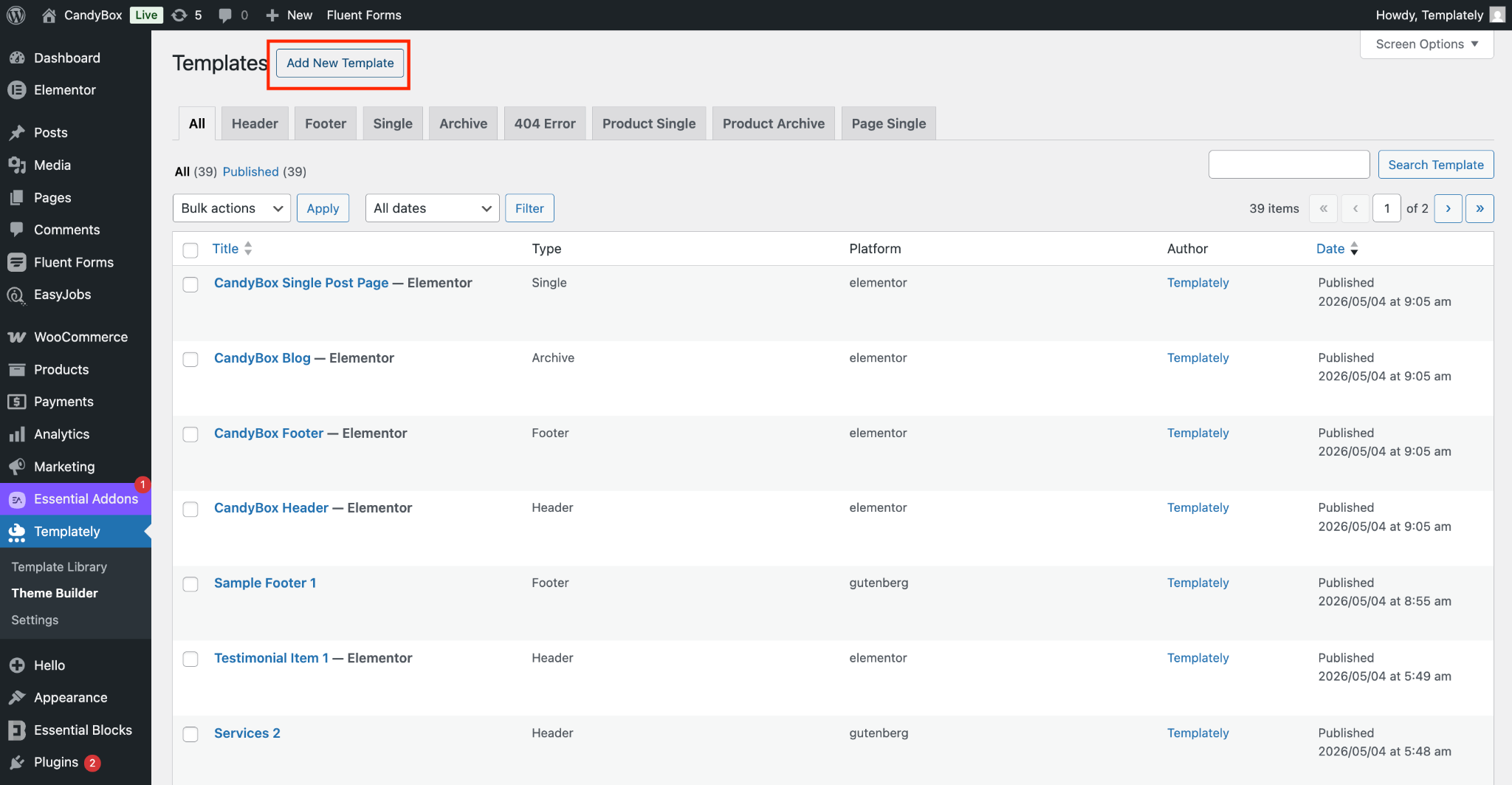
Head over to the ‘Theme Builder’ dashboard and click on the ‘Add New Template’ button. From there, you will see various options available to create your new template.
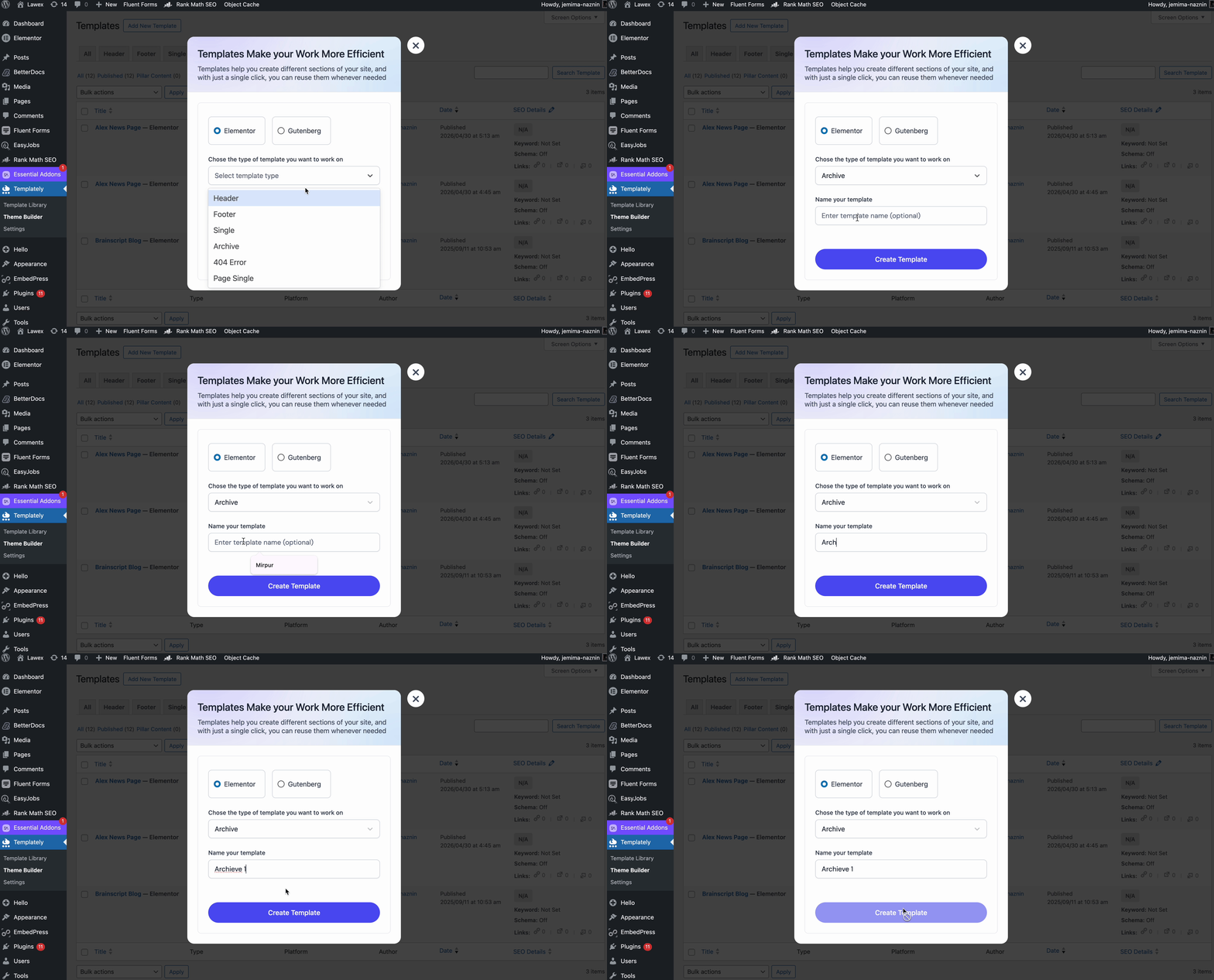
After clicking the button, a pop-up window will appear. From there, choose your preferred editor. To create an archive page template, select ‘Archive’ from the template type dropdown, then give your template a name for easy identification. Finally, click ‘Create Template’ to build a new archive page template for your website.
Step 2: Create an Archive Page Template #
Once you click the button, you will be redirected to your preferred editor. There, use the available elements to design a new archive page template for your website. When you are done, click the ‘Publish’ button to make it live.
Step 3: Add the Archive Page to a Specific Page #
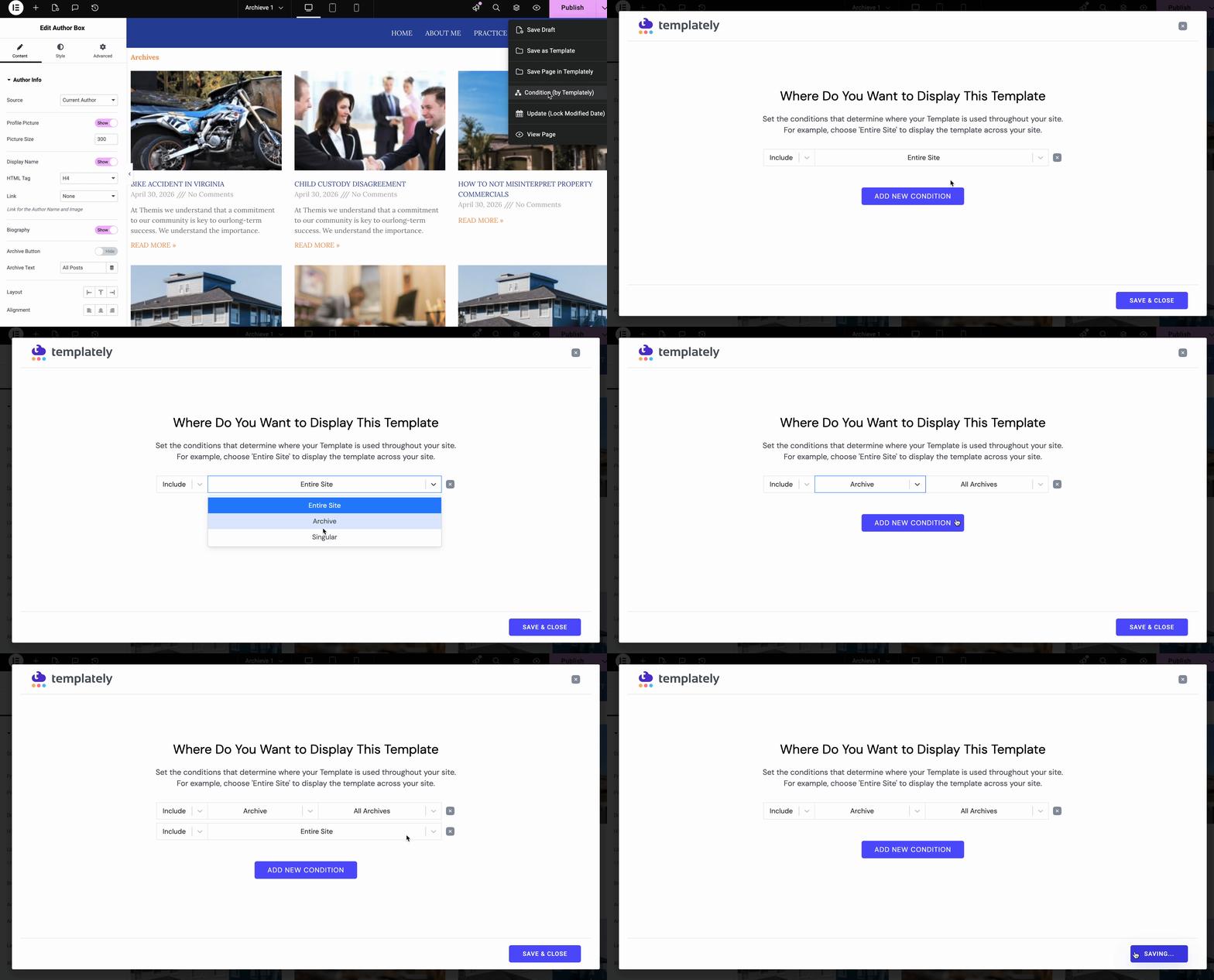
From the ‘Publish’ button dropdown, select the ‘Condition (by Templately)’ option. This will allow you to define where you want the archive template to appear on your website. Choose your desired page, then click ‘Save & Close’ to apply the changes.
Finally, on your website, you will see the archive page on your preferred pages on the website. You can create your own template and place it wherever you prefer.
This is how you can configure single post & page template settings from the Templately Theme Builder. Getting stuck? Contact our support team for any help you need.