
Templately now offers new bundle plans that pair Templately with Essential Addons and Essential Blocks. Whether you build with Elementor, Gutenberg, or both, you can get your template library and your favorite page-building toolkit together at a lower combined price with Templately bundle plans. This saves you from buying each tool separately and helps you set up a complete site-building workflow from one purchase.
Every Templately plan comes in three options: Regular, Bundle and Combo.
- The Regular plans give you Templately on its own.
- The Bundle plans add one plugin to your Templately plan, either Essential Addons for Elementor or Essential Blocks for Gutenberg.
- The Combo plans add both Essential Addons and Essential Blocks to your Templately plan.
Ready to unlock the Bundle or Combo plan? Follow the step-by-step guidelines below.
Step 1: Choose Your Templately Plan #
Go to the Templately pricing page to see the available plans. Every bundle starts with a Templately plan. Pick the plan that matches how many sites you manage and what other benefits you’re getting:
| Pro | Freelancer | Agency | Lifetime | |
| Active Sites | 5 | 10 | 100 | Unlimited |
| Full Site Import /mo | 5 | 10 | 100 | 500 |
| AI Credits (Monthly free Credits based on the Subscription tier) | 500 | 1000 | 10000 | 50000 |
Step 2: Pick Your Templately Plan Type [Regular, Bundled or Combo] #
Once you know your plan, choose how you want to extend it. Every Templately plan is available in three options:
| Plan Type | What’s Included | Details | Best for |
| Regular | Templately Only | The regular Templately plan on its own, with no plugin included. | Users who only need Templately’s template library |
| Gutenberg Bundle | Templately + Essential Blocks | Your Templately plan with ‘Essential Blocks for Gutenberg’ plugin included | Users who build with Gutenberg |
| Elementor Bundle | Templately + Essential Addons | Your Templately plan with ‘Essential Addons for Elementor’ plugin included | Users who build with Elementor |
| Combo Bundle | Templately + Essential Addons + Essential Blocks | Your Templately plan with both Essential Addons and Essential Blocks included, for one combined price | Users who build with both Elementor and Gutenberg |
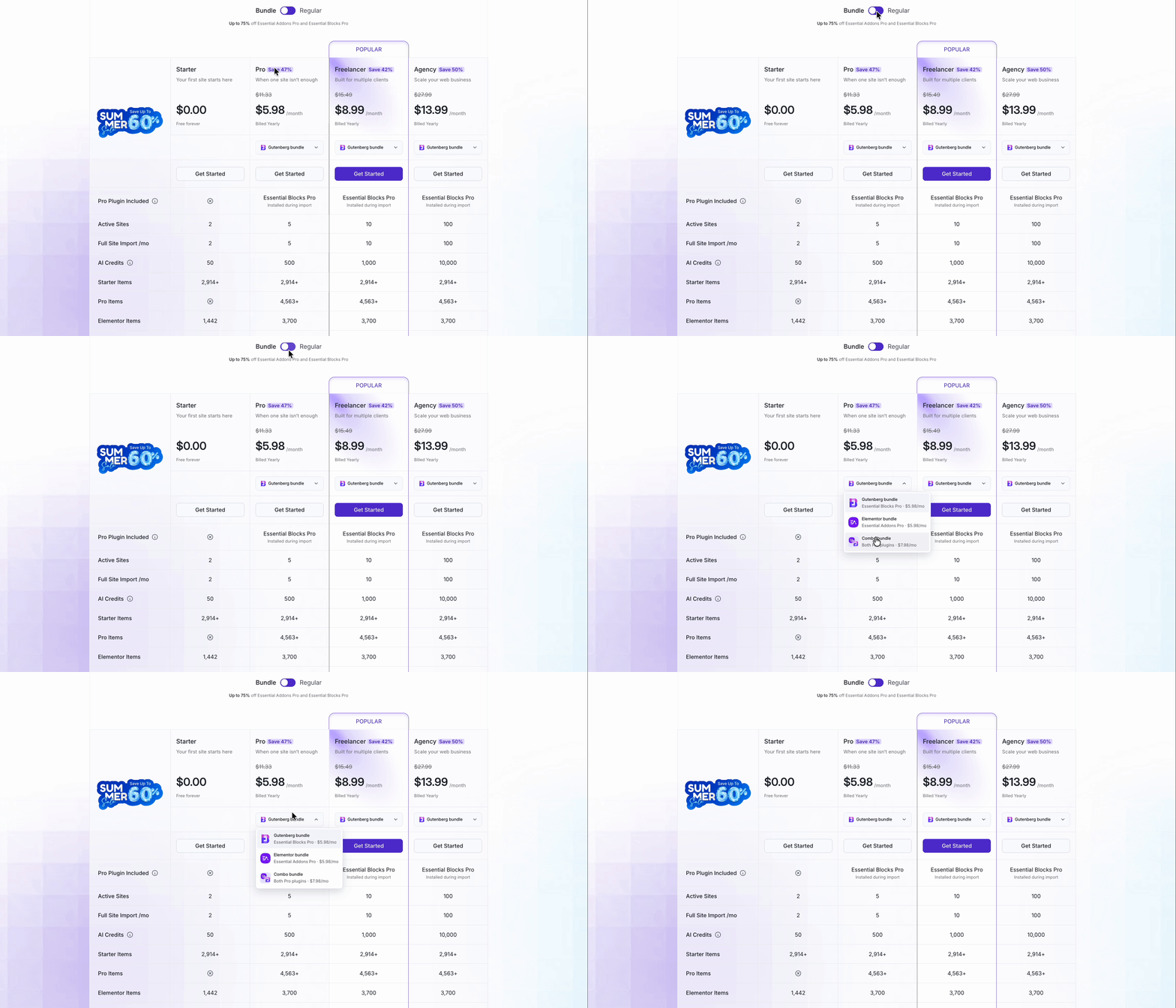
Note: Pricing may vary based on different campaigns. To get the correct pricing, check the Templately pricing page.
Step 3: Complete Your Purchase #
Once you’ve picked your plan and bundle type, click the Get Started button for that plan on the pricing page. This takes you to the Templately store, where your selected plan is added to checkout.
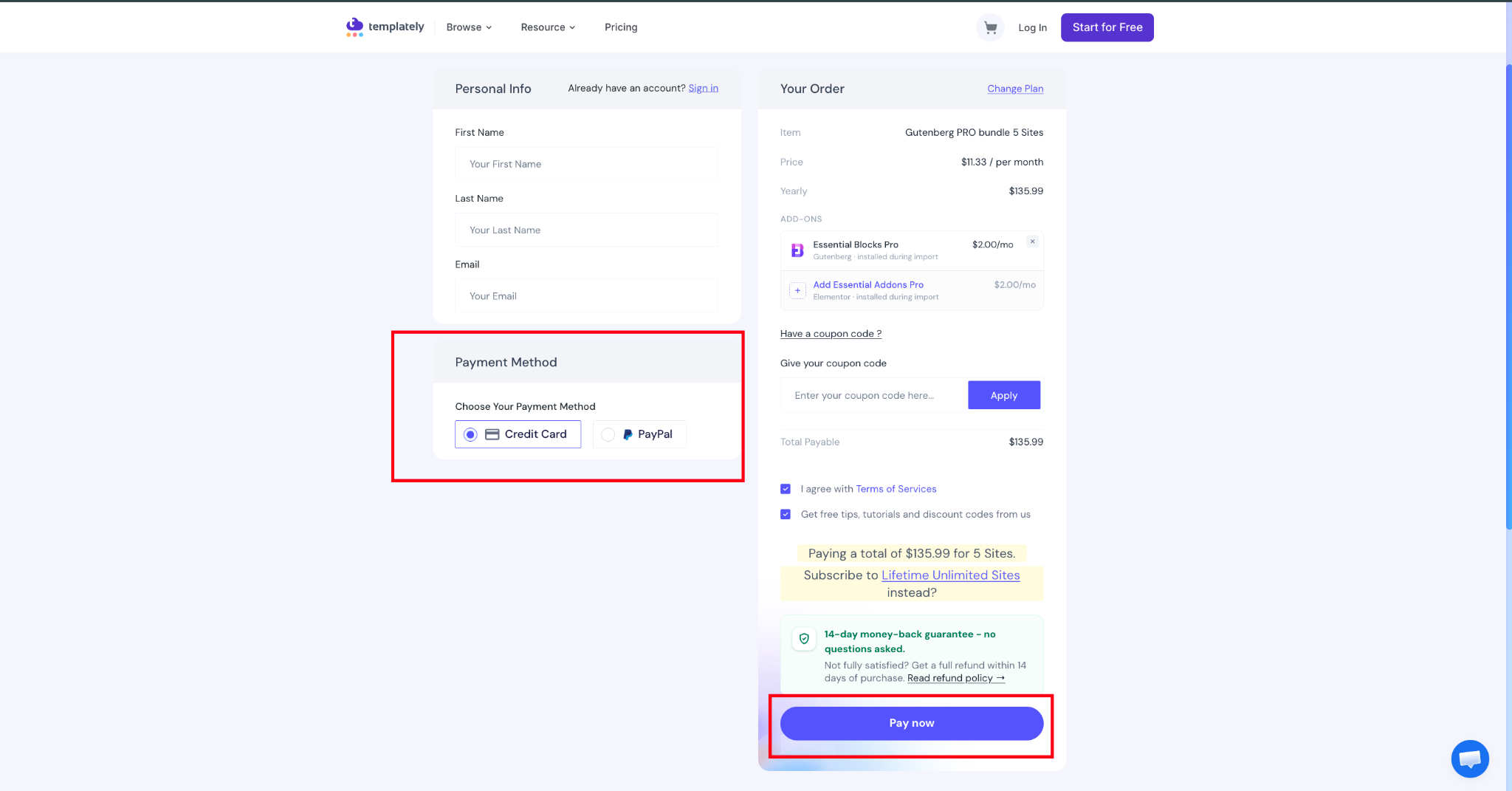
On the checkout page, check that the order summary shows the right plan and bundle. Then enter your billing details, choose your payment method and complete the payment. Once your order is confirmed, you can access your Templately plan along with Essential Addons, Essential Blocks or both from your account.
Note: With a Bundle or Combo plan, you get the version of Essential Addons and Essential Blocks available at the time of purchase, along with all its features.
To know more about how to purchase Templately PRO version check the documentation.
Templately Features Included in Every Bundle #
Every bundle is built on a full Templately plan, so along with Essential Addons, Essential Blocks or both, you get everything your plan includes from day one. That means access to 6,500+ ready Elementor and Gutenberg templates, plus the active sites, full site imports and AI credits listed for your plan. On top of that, you get unlimited WorkSpace to collaborate with your team, unlimited MyCloud items to save and reuse your templates across projects, and unlimited local sites to build and test before you go live.
This is how, with the help of Templately’s new bundle pricing, you can get Templately together with Essential Addons, Essential Blocks, or both at a lower combined price.
Getting Stuck? Feel free to contact our Dedicated Support Team.