
Templately provides a wide range of over 4000 templates for both Elementor and Gutenberg. Learn how to purchase Templately single templates from the WordPress dashboard. These templates are available in packs or as individual items for purchase, allowing you to choose the ones that best suit your needs conveniently.
Note: The template packs or single templates you want to purchase may depend on some other plugins. If you want a particular template to work properly on your website, you need to have those dependency plugins installed & activated on your website.
How To Purchase Templately Single Templates from the WordPress Dashboard? #
Follow the guidelines below to learn how to purchase Templately single templates from the WordPress dashboard.
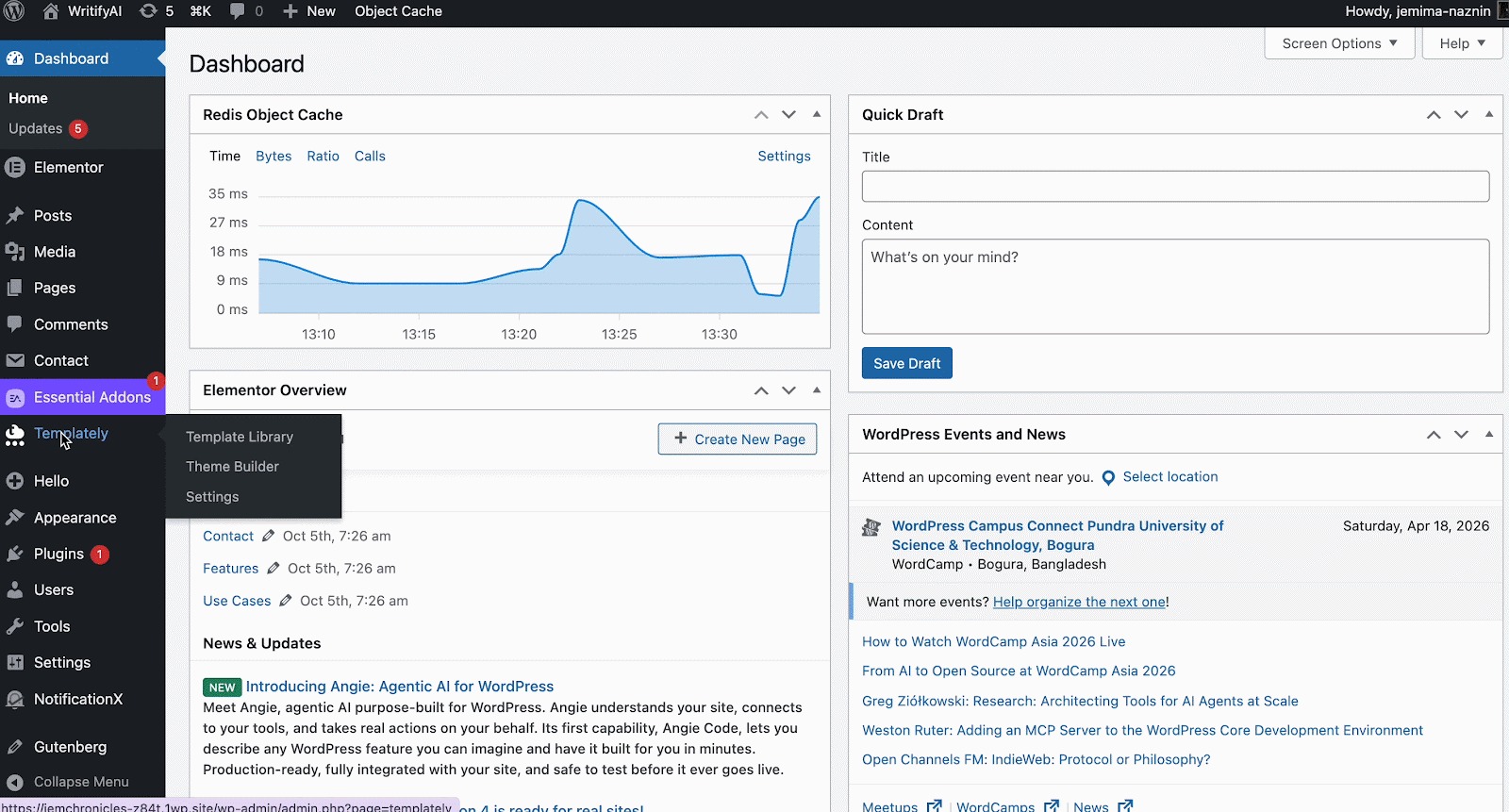
Step 1: Go To Templately From Your Dashboard #
First, from your WordPress dashboard, go to ‘Templately’ → ‘Pages/Packs’. You need to log in to your Templately account to buy templates.
Step 2: Choose Your Preferred Template #
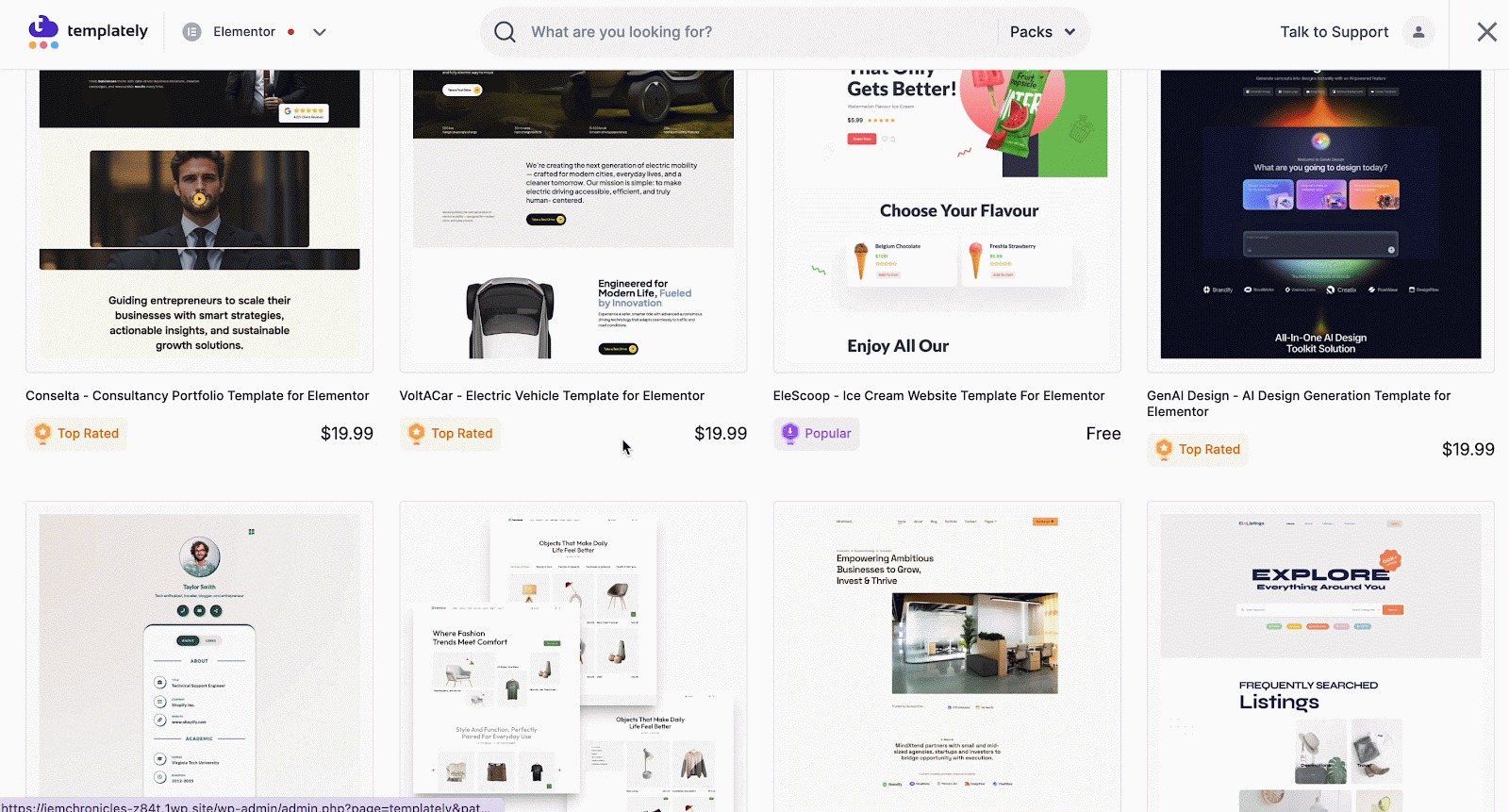
Select the template you want to purchase, or search for one. Click on the single template page or pack you want to buy.
Now, hit the “Purchase This Pack” button. You will be directed to your Templately account now.
Each of the template prices is mentioned below the template. You can choose the template that matches your requirements.
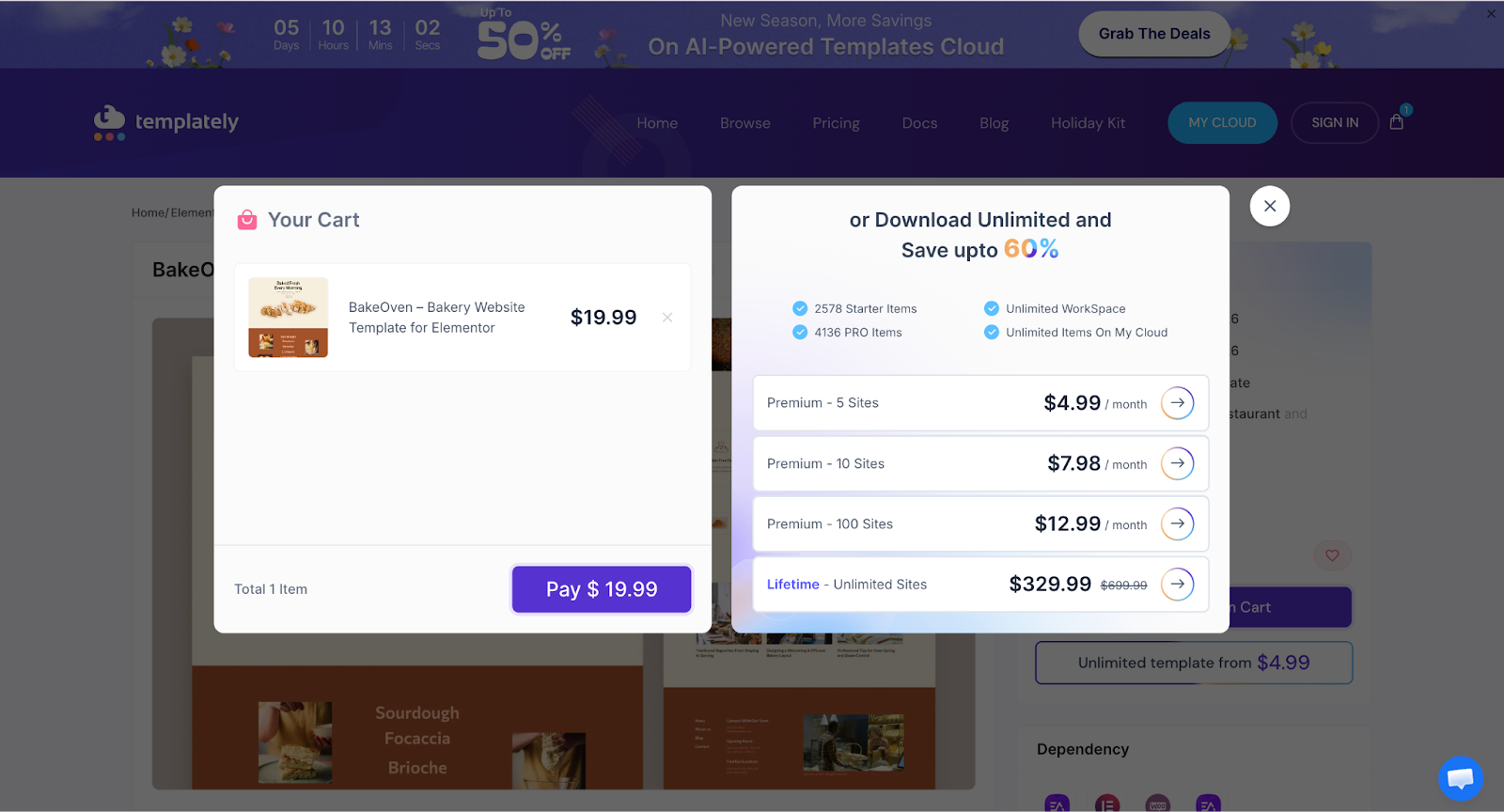
Your preferred templates will be added to the cart. You can choose as many individual template packs or single templates as you want to purchase.
Step 3: Proceed To Checkout #
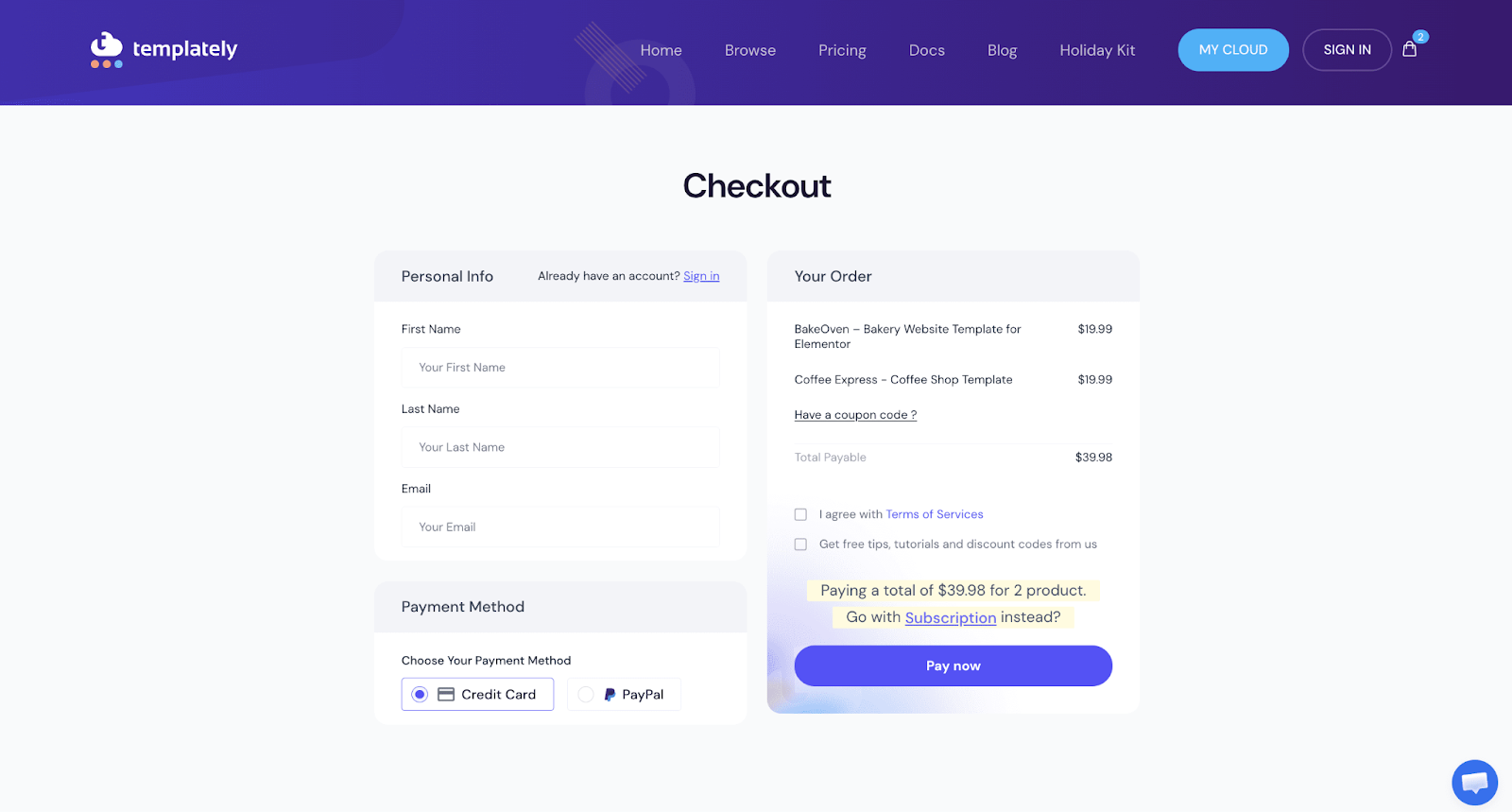
Now, click on the ‘Pay’ button, and you will be redirected to the checkout page. Here, you will find the list of templates you added to your cart.
You will see a checkout page now. Here you will have to fill out the form with your name and email address. However, if you have already signed in, you don’t need to fill out the form. Select the payment method, consent to the Terms of Service, and hit the ‘Pay Now’ button.
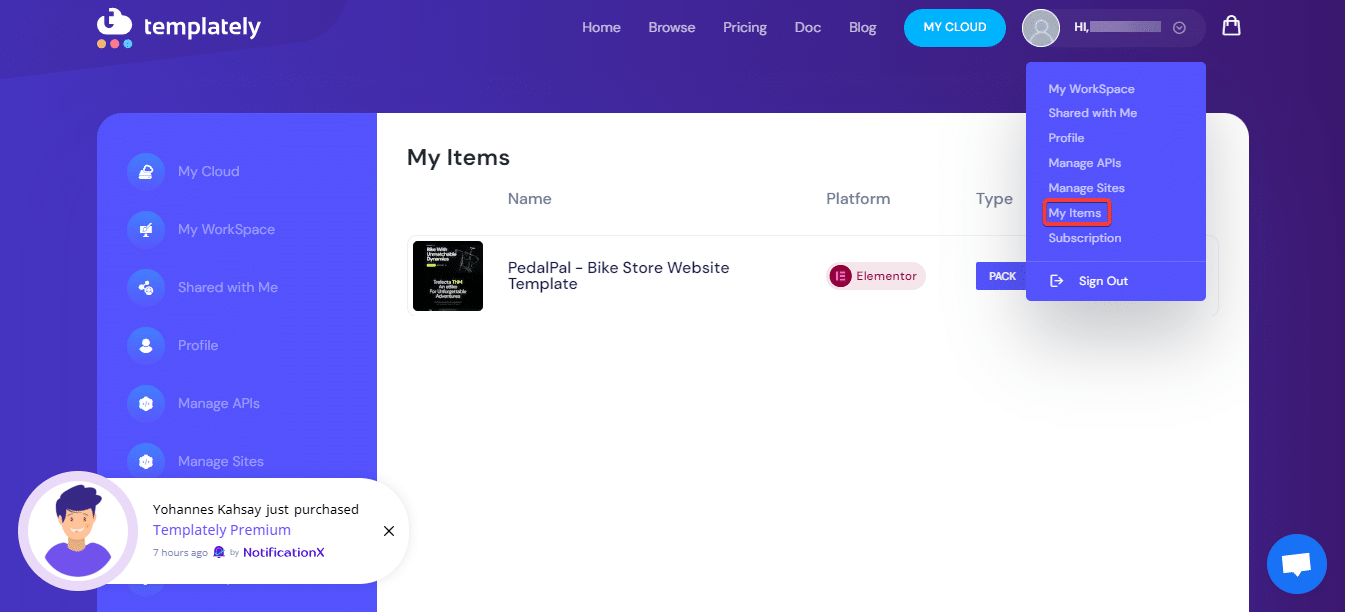
Once you buy the templates from the plugin’s dashboard through your account, they will be added to your “My Items” space.
Thus, you can easily purchase template packs or single templates from the WordPress dashboard. Getting stuck? Feel free to contact our support team for any help.